Two Suggested Features for iTunes

itunes.jpgDear Apple,

Thank you for iTunes and iPods. For several years now they have brought music back into my daily life, while running, commuting, shopping, driving and at dinner with my family (not really on the last two). Thank you also for the ‘shuffle’ feature. It turns my iPod into my own personal juke box loaded only with my songs. It’s great to explore and re-discover my own music library through the random play of ‘shuffle’.

But I have two ideas to share with you, that I think would be very well received; rock blocks and linked songs.

Often, hearing a song by an artist makes you crave a little more of the same. Radio stations figured that gimmick out long ago. Why not have an iTunes shuffle setting to allow users to play their own shuffled ‘rock blocks‘? The iPod settings would allow the user to specify how many songs by an artist should be played in a block, 2… 3…4… and voila! The same benefits of shuffle, but with the bonus of blocks.

The second idea struck me while listening to music on my bus ride home. The song I was enjoying was ‘The Crooked Beat‘ from the Album Sandinista! by The Clash. It’s a mellow song about going out to listen to music, rhythmic and sleepy, with some nice horns and trippy echos. And in the last 15 seconds of this 5:29 song, the echos come back strong and a guy shouts out what’s always sounded to me like ‘birddog’, and the pickup in speed leads immediately to the fast opening of ‘Somebody Got Murdered‘, among my many favorites from this album. Only in shuffle mode, it didn’t. My iPod didn’t know any better and randomly pulled something totally wrong for the next song. I wanted to cry. Were I able to do so, I would adjust the settings for ‘The Crooked Beat’ using linked songs to ALWAYS have it be followed by ‘Somebody Got Murdered’. And that is but one of thousands of other songs I would similarly link.

But Chris, you ask… if you’re so eager to hear rock blocks and songs played in their album order, why don’t you just listen to whole albums as you grew up doing? Well, from time to time I still do. I suspect it’s a shrinking audience among iTunes users who think of an ‘album’ as a collection of songs intended to be listened to in sequence. Years ago CD players introduced shuffling and multi-disk options that began the birth of the personal jukebox, and the demise of straight through album listening. But with these features, iTunes could give listeners a nice middle ground between shuffle and album play. I know I’d like them.

Sincerely,

Chris

CyberTed’s Legacy Lives On

Among the flood of news coverage that immediately followed the death of Sen. Edward Kennedy last Tuesday night was an article in the Washington Post which mentioned that The Senator’s web site included, with the news of his passing, his famous closing words from his 1980 Democratic Convention speech, “For all those whose cares have been our concern, the work goes on, the cause endures, the hope still lives and the dream shall never die”. Much repeated in the days of tribute that followed, they are a fitting label for his legacy. The Senator’s web site itself wasn’t the news; it was simply a conduit, a routine and expected place from which to learn information about Senator Kennedy and his work. Because of course, every Member of Congress has a web site.

That wasn’t the always the case.
Kennedy on North Shore Mac BBS - 1993In 1993, any Senate office that was attempting to explore and utilize this recently heard about ‘Internet’ thing generally had to find their own way, without any institutional help from the famously slow-to-change Senate. At the time, I was working as Senator Kennedy’s Systems Administrator, a poli-sci type with no real technical background, hired on to support Kennedy’s network of Macs. When our office began to post his press releases and to solicit public comment via a network of dial-up computer Bulletin Board Systems (BBS), we found the effort was regarded as both newsworthy, and praiseworthy. While not everyone who found Sen. Kennedy online necessarily agreed with him on every issue, his effort to use new technologies to share his positions was widely reported and universally applauded.

A happy coincidence helped to boost Kennedy’s online reach beyond the BBS’. After reaching out to the White House staff who were likewise breaking new ground for President Clinton, I was put in touch with two of the students at MIT who were helping that effort, John Mallery and Eric Loeb. They were enthusiastic and eager to extend the work of MIT’s ‘Intelligent Information Infrastructure Project’ to include our nation’s Legislative branch. In short order they had setup the means for Kennedy’s press releases to be posted to an FTP archive at MIT and into two Usenet newsgroups. And eight months later, in the spring of 1994, they worked with our office to launch Kennedy’s web site, the first for a member of Congress. The site was located at MIT’s Artificial Intelligence Lab, as senate.gov provided only FTP and Gopher services by that time. And at the same time we announced Kennedy’s web site, we followed the example set by Senator Robb by establishing a public email address for The Senator and facing up to what remains today as a challenge to Congressional offices, managing and responding to torrents of inbound email.
Kennedy Campaign - 1994In 1994 Kennedy had more than his Senate work to occupy him. He faced a strong challenge for his Senate seat by Republican Mitt Romney. Polls showed Kennedy was in a very tight race, with some even predicting his defeat. In the fall, the Democratic Senatorial Campaign Committee (DSCC) had contracted with Issue Dynamics Inc. to help develop a basic web site for each of their Senate candidates. Aware of Kennedy’s efforts to bring his Senate office online, the DSCC gave his campaign staff direct access to manage their campaign site and to make it their own. Senate rules designed to prevent incumbent Senators from using franked mail in support of their campaign were now interpreted to require shutting down their official online presence for 60-days prior to any election in which they were a candidate. The campaign’s web site kept Kennedy online, while his Senate site was shuttered.

Launched only a few weeks prior to Election Day, the campaign site contained issue papers, press releases and endorsements (the notion of actually raising money online was still little more that a geeky politico’s daydream). For his part, Romney was missing online, and was chided in the media for it. Kennedy ended up beating Romney handily. A Newsweek article reporting on the growth of online politics dubbed him ‘CyberTed’ and reported of his online campaign, “It helped counter his image as an out-of-touch baron who reeked of Old Politics. And it impressed the world of computer jocks, thousands of whom work in the important Boston branch of the industry.” The Internet had played some small part in keeping Kennedy in office.

I left Kennedy’s office in the spring of 1995 to join a new ‘Technology and Communications Committee’ created by the new Senate Democratic Leader, Senator Tom Daschle, to help other Senate Democrats follow in the path Kennedy had blazed online. But continuing to lead and to innovate online remained a high priority in Kennedy’s office. My successors there saw to the continued development of his Senate web site, as well as bringing the Senator online by other means such as into Q&A sessions with constituents in online chat rooms. By June of ’96, Senator Kohl became the 50th Senator with a web site, and it took four more years until all 100 Senators had one, when Illinois freshman Peter Fitzgerald launched his site early in 2000.

His online experience did more than just generate good press for Senator Kennedy; it informed his positions on important votes for which many of his less net-savvy colleagues were ill equipped to fully understand. One early example came when the Senate voted in 1995 on Senator Exon’s ‘Communication’s Decency Act’, a far-overreaching effort to censor adult content on the Internet, the bill passed by a vote of 84-16. Kennedy was on the right, but losing side of this vote, and it was left to the Supreme Court to overturn the act as unconstitutional two years later by a unanimous vote.

Outside groups have also played an important role in pushing Congress to do more than just ‘be’ online. The Congressional Management Foundation’s periodic ‘Golden Mouse Awards’ recognize the best of Congressional web sites and provide all offices with needed assistance and best practices for use in developing their online presence. Newer organizations such as The Sunlight Foundation support efforts to make Congress ‘more meaningfully accessible to citizens’, with the Internet at the core of their efforts. And early online guides to Congress such as CapWeb, which helped net surfers find Congress online, have passed the torch to newer resources such as Tweet Congress, which helps all to find members who are on Twitter.

On Saturday I joined hundreds of other current and former Kennedy staff on the steps of the U.S. Senate, waiting on The Senator’s funeral motorcade to make a scheduled stop, en route from Andrews Air Force Base to Arlington Cemetery, for a brief and final farewell from the institution he served for forty-seven years. With the motorcade more than an hour behind schedule, I wasn’t alone in following the tweets from ‘kennedynews’, which kept us informed of their progress. Kennedy’s current team has done him proud this last week by their use of the Internet to share news and information about his funeral arrangements as well as the legacy of his life in public service.

It’s easy to take for granted that the Internet has become an expected means of communication for public officials and for the candidates who aspire to become one. And the time has long passed when anybody was impressed by a politician just for being aware that the Internet existed, and for attempting to use it. Senator Kennedy benefitted from such early praise, and might have left it at that. But he ‘got it’ and instead chose not to let up after those earliest steps. He chose to value innovation, and to make the use of new technology a high priority in conducting his very public life.

The Senator’s legacy will live on in the legislation he passed and the causes that he championed.

Teddy’s legacy will live with his family, friends and loved ones.

And CyberTed’s legacy will live on… online.

An Apple Store in DC?

An interesting story in the Washington Post today describes how the prigs on the ‘Old Georgetown Board‘ have thrice rejected Apple’s proposed design for their planned retail store in Georgetown. Tonight Apple will take a fourth swing with a design that’s pretty similar to their first one.

In tough economic times, you would think a shopping community such as Georgetown is would eagerly embrace a new Apple store. Personally I’d rather see an Apple store downtown, closer to my office. Georgetown is not a convenient place to get to. So please Georgetown Board, reject Apple yet again. And hopefully they’ll find a more welcoming place in DC to open up a store.

Apple Tries, Tries Again To Open in Georgetown
The Washington Post, 2/6/09

Happy 25th Birthday Mac!

mac128k320.jpgI love my computer and I’m not ashamed to admit that. Twenty-five years ago today, Apple introduced the original Macintosh computer, the birth announced by a now famous, once shown, Super Bowl commercial called 1984.

It was some time during that year, after my freshman year of college, that my mom brought home one of these original Macs from the software company she was working for, FirstByte. The company had developed an artificial speech synthesizer product called SmoothTalker, which was unique from previous efforts at producing artificial speech in that it required no additional hardware, it was entirely software based. Mom was thoughtful, or foolish enough to let her kids mess with the computer, and a lifelong love affair began. One of my early memorable Mac moments, was to successfully use MacPaint to forge a passable report card for a friend whose poor grades from the local Junior College put him at risk of parental eviction. You’re welcome Doug (who has gone on to be a life-long Mac-lover himself).

Over these 25 years, I figure I’ve probably almost a dozen different Macs, and I’m sure there are many more in my future. Thanks Mom, it was a life-changing bit of technology you introduced me to 25 years ago, and I know you’re proud to know that the torch has been well passed in our home.

Update: I completely forgot that among my current DVDs from Netflix waiting to be viewed is the documentary ‘Welcome to Macintosh‘, a documentary about Macs that came out in 2008, and the perfect way to celebrate the Mac’s bday.

Blog Conversion

Media_httpchriscaseyt_ciywe

For about the last five years or so, I’ve maintained my blog using Movable Type’s (MT) software on my own web server. And during that time, I’ve been happy with the program and it’s features. It has allowed me to build and tinker with sites on my own server. But a server admin I am not, and when, from time to time, things go hinky on my server, I am not well suited to troubleshoot and fix the problem. Over the last several months, my MT installation has been very inconsistent, and is just as likely to return a server error as it was to work as it should.

I have been using web.com as my web host for about the last four years. Their VPS Root server allowed me to create the sub-sites I desired, and I was familiar with their service and support. Unfortunately, their service has suffered, and competitors offer hosting package with more features and more disk space at less cost.

And so, it’s time for me to move on. For my web hosting, I’m moving to Host Gator and am currently working at moving my life/files to my new server. As for my MT blogs, rather than install MT on my new server at Host Gator, I will instead use Six Apart’s hosted blog service, TypePad.

I’ve spent part of today, migrating my blog’s to TypePad. It’s too soon for a full review, but so far I am finding it promising and looking forward to letting them manage the burden of keeping things up and running. And hopefully, having restored reliability to my blog life, my recent lull will come to and end. Stay tuned…

iHappy

Media_httpfarm4static_biiyl

It’s weird to say, but I’ve never felt this way about a phone before. Sure, I’ve loved gadgets all my life, and have gotten especially close to a number of computers in my day. But my new iPhone just makes me smile, and I’ve had it less than a week. Maybe we’re just still in our honeymoon, and it will soon become routine and unexciting, but right now, it’s just so much fun.

MT Upgrade

So, I’ve just upgraded my blog to Movable Type 4.01 Open Source, and this is my first test entry. Will it screw up my site very badly? These things are never painless. We’ll see.

UPDATE: So far so good, very good in fact. This has definitely been the smoothest upgrade experience I’ve had with MT. In the past, you could count on having to do all kinds of cleanup work on templates that broke as a result of upgrading. But so far, none of that this time. Very nice.

Apple TV Update

Media_httpcaseycomblo_hbubo

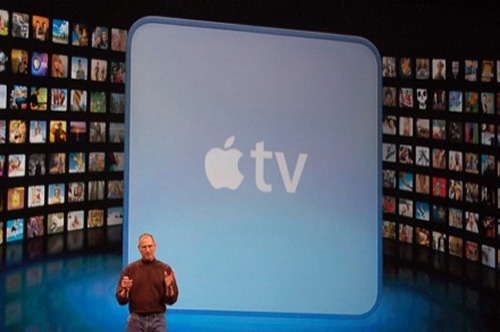
In the world of Apple enthusiasts, there is an annual event called the Macworld Expo, at which our Macleader, Apple CEO, offers a keynote presentation and tell us, the Mac-minions, what cool new hardware gadgets and software upgrades we can expect from Apple computer. Usually, it is all very drool-worthy, but from time-to-time, even Apple offers up something that is widely considered to be a flop.

One of the announcements at this year’s MacWorld was a software update for AppleTV, called ‘Take 2’. I have an AppleTV, and it serves primarily as a tool to turn my basement Manspace TV into an iTunes juke box. It’s also serves some purpose for viewing digital photos, and exploring YouTube on a big screen. And while I have yet to ever purchase a movie from Apple’s iTunes Store, I have purchased a few music videos. And it’s in this area that Apple TV lacks an obvious feature.

When playing music, AppleTV provides an option to ‘shuffle songs’, randomly playing selections from your library, playlist or album. But when playing music videos, there is no ‘shuffle videos’ option. You must select a video, and play it. If you want to view another video, you must select and play it. Repeat until you’re bored.

AppleTV Take 2 has some nice new features, including connecting now to Flickr and .Mac galleries, in addition to iPhoto pictures. And AppleTV Take 2 is a serious pimp for the iTunes store, in every menu putting options to search and buy content above the choice of perusing your own libraries. A bit cheesy, but not the end of the world. I have yet to try out renting a movie from iTunes, I’ll explore that option later.

But why, oh why, no video shuffle? It would be sooooo cool to to have a video jukebox, why must music videos be played one at a time? After that, my next wish for AppleTV would be that it turn my TV into an external monitor. I count on the fact that Apple has labs full of technicians working to make that happen. Help me. Write to Apple TV Feedback, and tell them that this was a nice small step forward, but there’s some major fixes that they missed.

for further reading…

Wired
Apple TV’s ‘Take 2’ Update Is Finally Ready

MacWorld
Hands on with Apple TV, Take Two

iLounge
Apple Inc. Apple TV Take 2

Netflix vs. On Demand

Netflix.jpgAs a new customer of FiOS TV, and also the owner of an Apple TV, I now have new options available to me in the home entertainment arena, particularly with being able to rent and view a movie on demand.

I have been a customer of Netflix since 2000, and I have rented X movies from them in that time. I don’t think I’ve set foot in a movie rental store since, and the recent closure of my nearest store, I know that in my case, it is Netflix holding the smoking gun that killed them.

So the question is, will my new On Demand options from FiOS and Apple return the favor, and do to Netflix what Netflix did to the bricks and mortar video store? An investigation was warranted.

My first question is one of selection. Which service will provide me the greatest number of titles to choose from? Netflix’s web site proclaims that they have “more than 90,000 DVD titles”, while FiOS and Apple can only weakly claim “over 1,000”. Advantage: Netflix

Next comes convenience. Traveling to a video store is less convenient than browsing the web to select a movie to watch. I find that my new rentals arrive from Netflix within a day after having a new spot open on my list, and having a rental queue always loaded means not even having to think much about what’s coming next. Something I put in the queue will come next. But it’s hard to compete with ‘right now’ for impulse movie watching. Advantage: On Demand

Finally, and most importantly, there’s costs. I am currently on the $18/month Netflix plan, which allows me to have three movies at home at a time, and to keep them for an unlimited amount of time. Prices for on demand rentals from FiOS and Apple range between $2.99 and $4.99 depending on the movie (new releases cost more), and quality (HD movies cost more). In each case, you have 24 hours to watch the movie you’ve rented. Using $3.99 as the average on demand rental cost, five movies would cost me about $20. But a review of my rental history over the last year from Netflix shows me I’m renting an average of seven movies a month. That’s math easy enough even for me; 7 movies from Netflix for $17, or 7 movies on Demand for something between $21 and $35. Advantage: Netflix

So there you have it. I’m sure variables will change with competition for my rental dollars, changes in technology, and other changes. And I’m sure that from time to time the appeal of renting a movie on impulse for immediate viewing will lead me to do an on demand rental. But for my regular rentals, I’m sticking with Netflix.

1 2 3 4 5 6